Telegram outreach and parsing platform

Telegram outreach
to DMs and chats

Direct messages · Chat campaigns · Audience parsing

C2Run is built for Telegram outreach to direct messages and chats. In one workspace you manage access, plans, likes parsing, chat parsing, contact extraction, and mass campaigns for the right audience segments.


Built for teams

Email, Google and Telegram sign-in included

Telegram outreach workflow

Message Flow

DM and chat campaigns

Parsing Flow

Likes, chats, contacts
Same product in every billing option

Everything included in every access option

Every plan unlocks the same workspace. The difference is the access period, not the product scope.

Account Import

Import Telegram accounts in bulk and prepare sender pools for outreach and parsing tasks.

Proxy Management

Add, validate, and bind proxies to working accounts for more stable daily operations.

Chat and Source Search

Search chats, channels, and source communities by keyword before parsing begins.

Likes and Chat Parsing

Collect reactions, active discussions, and open chat audiences into ready-to-use segments.

Every access period includes the same product scope: parsing, outreach, contact base management, infrastructure tools, billing, and support.

A clear workflow for Telegram outreach

From source discovery to parsed contacts and campaign launch, C2Run keeps the whole Telegram funnel in one flow.

1

Create Access

Sign in with email, Google, or Telegram and enter the billing workspace.

2

Choose Access Period

Pick the access duration that fits your timeline. Functionality stays the same across every option.

3

Find Sources

Search chats, channels, and active communities where the target audience already communicates.

4

Parse Audience

Extract likes, chat members, and contacts into structured recipient segments ready for outreach.

5

Launch Campaigns

Run DM and chat campaigns from one workspace with sender management, billing, and support.

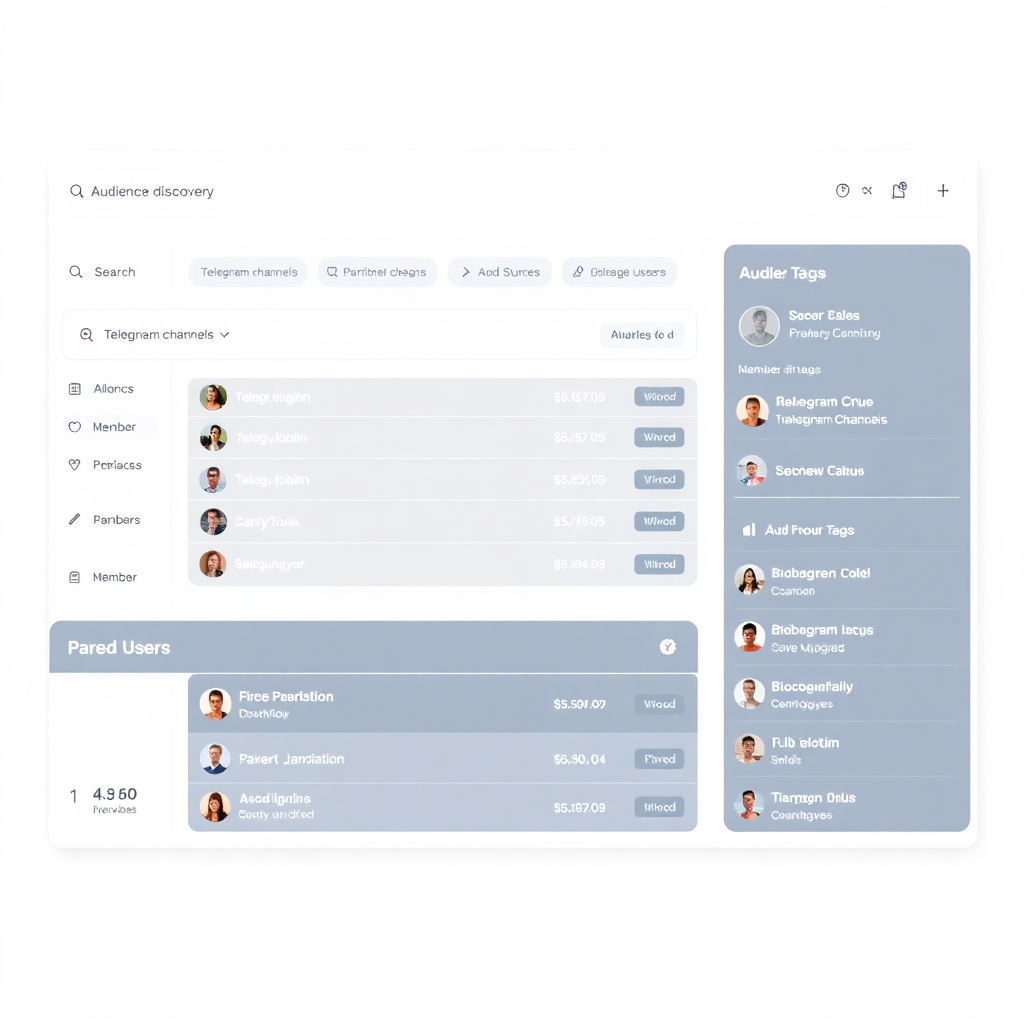
Audience discovery dashboard
Parsing & Discovery

Find chats, collect reactions, and build contact lists

Use chat discovery, reaction parsing, and contact extraction to convert Telegram activity into ready-to-message audiences.

  • Source Discovery

    Search by keyword across Telegram to find relevant chats, channels, and communities for parsing and seeding campaigns.

  • Like and Chat Parsing

    Collect reactors, active chat members, participants, and other signals that indicate a warmer audience.

  • Contact Extraction

    Turn parsed users into structured contact bases, categories, and recipient groups ready for personal outreach.

Run three core outreach workflows from one panel

Collect audience data, prepare senders, and launch DM and chat outreach without switching between isolated tools.

Direct Messages

Send personal campaigns to segmented contact bases with selected sender accounts, delays, and controlled scenarios.

  • Personal message routing
  • Sender pool management
  • Category-based targeting
Most Used

Parsing and Infrastructure

Handle subscriptions, sender infrastructure, UpCloud connection, server creation, and parsing workloads from one workspace.

  • Token validation
  • Parsing-ready Ubuntu servers
  • Start, stop, refresh, delete

Chat Campaigns and Team Control

Run chat outreach and keep operators, managers, and admins inside a controlled workflow with tickets and access separation.

  • Chat posting workflows
  • Admin moderation
  • Ticket workflows

Telegram outreach asset management

Organize sender accounts, chats, contact bases, and parsing sources in one operational workspace.

Sender Accounts

Prepare and separate working accounts for direct messages, chat outreach, and parsing tasks.

Audience Categories

Group parsed likes, chats, and contacts into segments for cleaner targeting and campaign control.

Infrastructure Control

Provision, refresh, start, stop, and remove UpCloud servers when campaign volume requires dedicated infrastructure.

Team access and permissions

Invite team members and control access by role, so managers, moderators, and operators only see the tools they need.

Admin

Full project access

Moderator

Campaign operations

Sales

Communication workflows

Viewer

View-only access

Same product. Different access period.

Choose the access period that fits your team

The functionality is the same in every option. The only difference is the duration and the effective cost of access.

In 3 seconds: same feature set everywhere, only the access period changes, longer access is more cost-effective, and the first month has a launch offer.
Free demo access

You can also connect a free 1-day demo

Before paying for a full period, activate a free demo for 1 day and check how the billing workspace, parsing tools, and campaign flow work.

Register and connect demo
MONTHLY ACCESS
$100 $150 / 30 days
Launch offer for the first 100 customers

Full platform access for 30 days. Best for testing the workflow and starting with a single billing cycle.

  • Full feature access
  • Telegram outreach tools
  • Parsing and campaign workflow
  • Crypto checkout
Get Started
Most Popular
QUARTERLY ACCESS
$399 / 90 days
Save $51 vs monthly billing

The same full feature set with a lower effective monthly cost. Best option for teams planning stable usage.

  • Full feature access
  • Lower cost per month
  • Better value for active use
  • Most popular option
Get Started
ANNUAL ACCESS
$1,499 / 365 days
Save $301 vs monthly billing

Best long-term value for teams using the platform continuously throughout the year.

  • Full feature access
  • Best annual savings
  • Lower long-term cost
  • Best for ongoing usage
Get Started
Everything included with every billing option

All billing options unlock the same workspace

Choose the duration that fits your team. Parsing, campaigns, billing, support, infrastructure tools, and access controls remain the same.

Frequently asked questions

Ready to launch Telegram outreach at scale?

Open the billing panel, build contact segments from likes and chats, and start direct-message and chat campaigns from one workspace.

The panel already supports auth, billing, audience parsing, chat and DM campaigns, UpCloud integration, tickets, and admin workflows.